
# 正文
前面我们用了大量的时间来讲述原理和以及每一步具体的实现。
到这里我们的应用骨架已经搭建完成,剩下的就是应用和升级。
本节我们就开发一个小项目,来实际的应用下这个骨架,从开发过程中感受下自己的骨架。
# 项目介绍
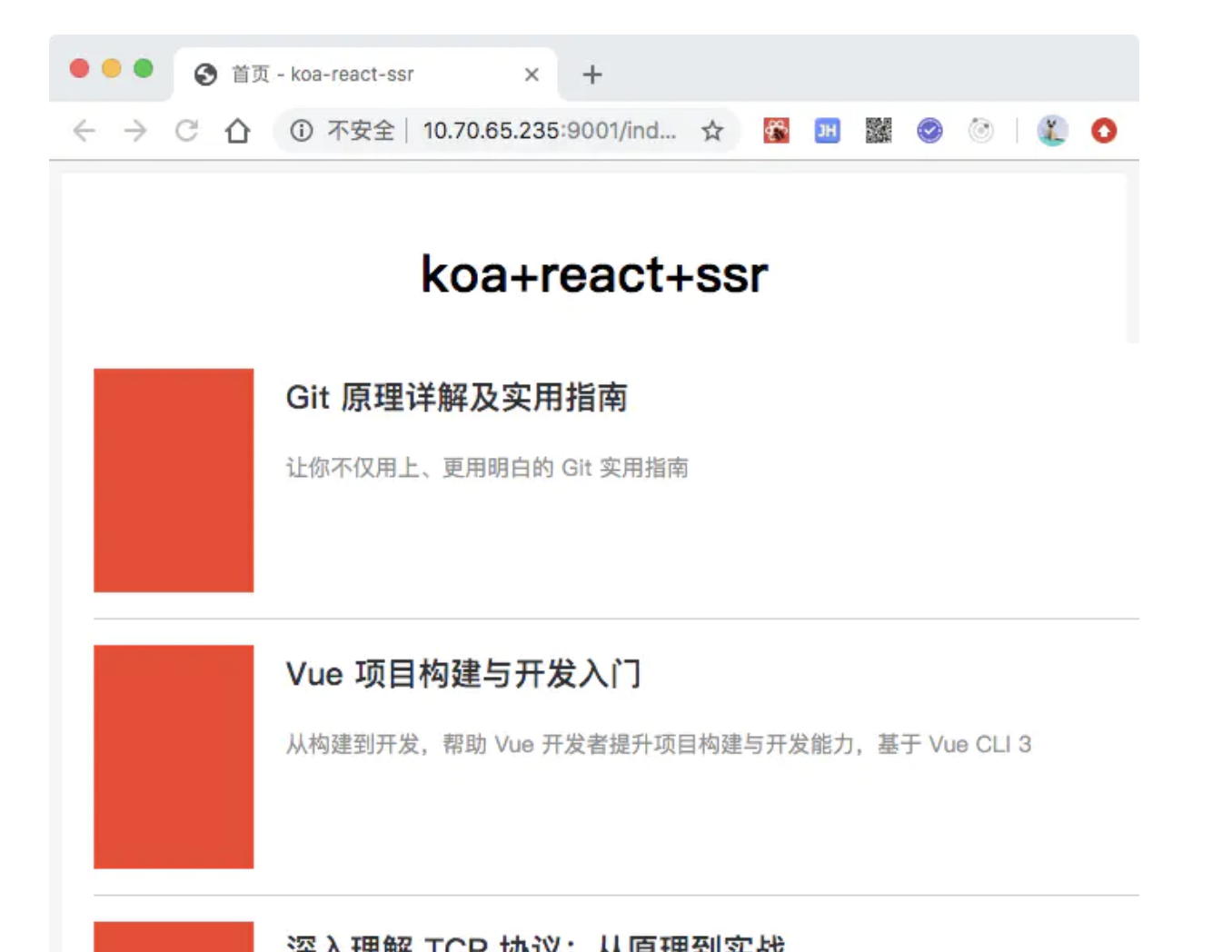
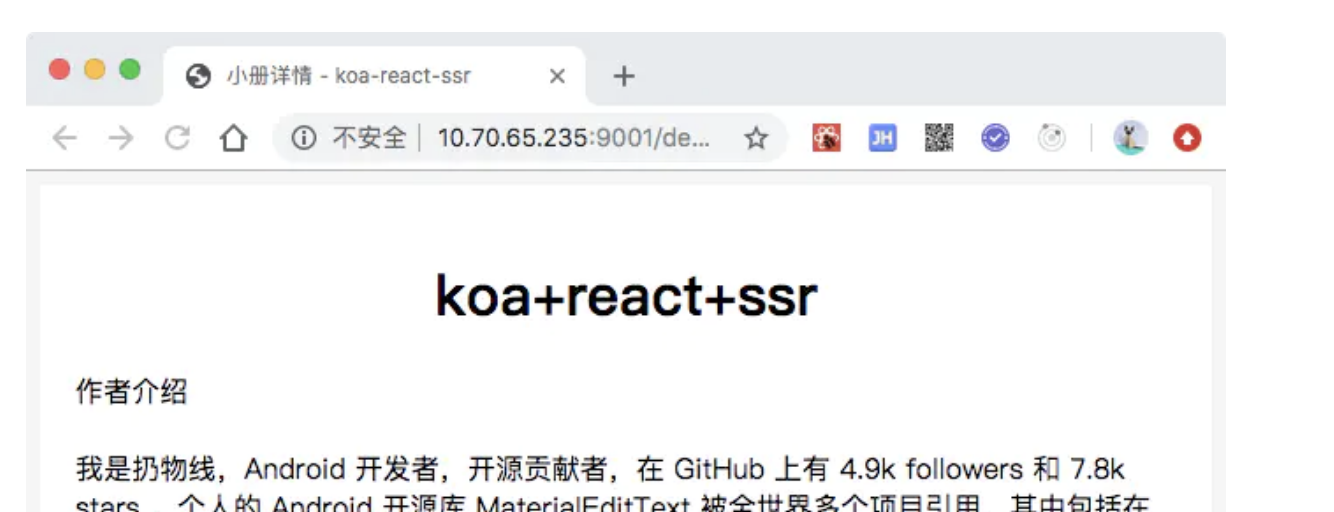
本项目为仿造掘金小册页面,包括列表页和详情页面。
# 整体页面效果
# 相关接口
列表接口
url:http://mockssr.bigerfe.com/list
method:get
result:
{
    "code": 0,
    "data": [
        {
            "des": '',//描述
            "href":'',//详情地址
            "id": '',//小册 id
            "pic": '',//配图
            "title": ''//小册名称
        }
    ]
}
小册详情接口
url:http://mockssr.bigerfe.com/detail/:id
method:get
result:
{
    "code": 0,
    "data": {
        "html":''//小册详情
    }
}
# 数据请求模块
使用axios来处理数据的请求,简单方便,兼容双端。
- 配置接口地址
fetch-config.js
export default {
    apiHost:'http://mockssr.bigerfe.com'//接口地址
}
- 获取列表数据模块
get-list.js
import axios from 'axios';
import fetchConfig from './fetch-config';

export default ()=>{
    return axios.get(`${fetchConfig.apiHost}/list`)
        .then(function (response) {
            return response.data;
        })
        .catch(function (error) {
            console.log(error);
        })
}
- 获取详情数据模块
get-detail.js
import axios from 'axios';
import fetchConfig from './fetch-config';


export default (id)=>{
    return axios.get(`${fetchConfig.apiHost}/detail/${id}`)
        .then(function (response) {
            return response.data;
        })
        .catch(function (error) {
            // handle error
            console.log(error);
        })
}
# 创建页面和子组件
# 页面
在/pages/下创建index和detail页面。

# 子组件
这里没有把首页的每一个item提取为一个组件,为了方便单独提取了一个List组件,用于列表的渲染。
//List 组件
import React from 'react';
import { Link } from 'react-router-dom';
import './index.scss';

export default class Index extends React.Component {
    constructor(props) {
        super(props);
    }
    render() {
        const {list=[]} = this.props;

        return <div className="book-list">
            {
                 list.map(item=>{
                    return <div key={item.id} className="item">
                        <p className="img"></p>
                    <div className="right">
                            <p className="title"><Link to={"/detail/" + item.id}>{item.title}</Link></p>
                            <p className="des">{item.des}</p>
                    </div>
                    </div>
                })
            }
        </div>
    }
}
# index 页面组件(列表页面)
引入子组件List,同时设置数据预取逻辑getInitialProps,这里使用的是函数组件,也可以使用类组件。
import React from 'react';
import {
    Link
} from 'react-router-dom';
import './index.scss';
import img from '../../public/img.jpg';
import PageContainer from '../../common/components/page-container';

import fetchGetList from '../../common/fetch/get-list';
import List from '../../common/components/list';


function Index(props) {
    const { fetchData } = props.initialData||{};
    return <div className="page-index-box">
        //使用 list 组件 并将数据做为属性传入
        <List list={fetchData}></List>
    </div>
}

Index.getInitialProps = async (ctx) => {

    let res = await fetchGetList();
    let data = res.code === 0 ? res.data : [];

    return {
        fetchData: data,
        page: {
            tdk: {
                title: '首页 - koa-react-ssr',
                keywords: '关键词 - koa-react-ssr',
                description: '描述'
            }
        }
    };
}

export default PageContainer(Index);
# detail 页面组件(详情页面)
设置数据预取和渲染逻辑。
列表页面使用的是类组件。
//src/client/pages/detail/index.js
//小册详情 组件

import React from 'react';
import {Link} from 'react-router-dom';
import fetchDetail from '../../common/fetch/get-detail';

import PageContainer from '../../common/components/page-container';

import './index.scss';

//组件
class Index extends React.Component {
    constructor(props) {
        super(props);
    }

    static async  getInitialProps(ctx) {
        let res = await fetchDetail(ctx.match.params.id);

        return {
            fetchData:res.data ||{},
            page:{
                tdk:{
                    title:'小册详情 - koa-react-ssr',
                    keywords:'koa-react-ssr',
                    description:'koa-react-ssr'
                }
            }
        };
    }

    render() {
        //渲染数据
        const {fetchData={}} = this.props.initialData || {};
        const  {html}  = fetchData || null;
        return html ? <div className="detail-box" dangerouslySetInnerHTML={{ __html: html}}></div>:null
    }
}

export default PageContainer(Index);
# 配置路由
route-config.js
//路由配置文件


import React from 'react';

//组件动态加载容器
import AsyncLoader from './async-loader';

function pageNotFound() {
    return <div>404页面</div>
}

export default [
    {
        path: ['/','/index'],
        component: AsyncLoader(() => import('../pages/index')),
        exact:true
    },
    {
        path: '/detail/:id',
        component: AsyncLoader(() => import('../pages/detail')),
        exact: true
    },
    {
        path: '*',
        component: pageNotFound,
        exact: true
    }
]
# 本地开发
npm run dev
# 生产环境
npm run build
# 生产环境预览
npm run prod:start
# 小结
本节主要是通过一个实际的项目来了解下如何基于我们的应用骨架进行开发,整体来看还是比较简单的。
这个项目未使用redux做状态管理,不过我们前面已经完成了基于状态管理的骨架,如果进行改造的话也是很容易的。
本节完整代码已上传
阅读全文
← 对比业内已有框架的实现 前端基础知识 →


